
Download Internet Explorer – legacy Mac browser, free download, secure legacy tool
Overview
Internet Explorer for Mac was Microsoft’s attempt to bring its flagship Windows browser to the Apple ecosystem. First released in the late 1990s, the product reached its final public version (5.2.3) in early 2005. Although the software is no longer maintained, a download link is still offered on several archival sites for users who want to explore a piece of web‑history.
The browser is completely free, but it has been out of official support since December 31 , 2005. This means no security patches, performance updates, or compatibility fixes are delivered by Microsoft today.
Modern websites rely heavily on HTML5, CSS3, and JavaScript features that were not available when Internet Explorer for Mac was built.
As a result, many pages either render incorrectly or fail to load altogether. Users who attempt to browse the contemporary web with this version will experience slow rendering, frequent crashes, and a lack of essential features such as tabbed browsing, extensions, or private‑mode data handling.
Despite these limitations, the browser still holds nostalgic value for a small group of users who remember the classic Windows‑style interface and the era when Internet Explorer dominated the market.
If you are curious about the evolution of web browsers or need a historical reference for testing legacy web applications, this download can serve that purpose. For any regular day‑to‑day browsing, however, Microsoft strongly recommends switching to modern alternatives such as Chrome, Firefox, Safari, or Opera.
Key Features & Limitations
- Classic Windows‑style UI adapted for the Mac OS environment.
- Supports basic HTML 4.0 and early CSS 1.0 rendering.
- Integrated with Mac OS X’s native printing system.
- Provides limited support for proxy authentication and basic network security (as of version 5.2.3).
- Free to download from legacy archives.
While these features were respectable at the time of release, they also highlight why the browser is unsuitable for modern use. The lack of HTML5 support means multimedia elements, responsive layouts, and advanced form controls will either be ignored or displayed as broken fragments. Security is another critical shortcoming; without updates, known vulnerabilities remain exploitable, making the browser unsafe for any internet‑connected activity that involves personal data or credentials.
The browser also omits many conveniences that users now consider standard: no tabbed browsing, no extensions marketplace, no password manager, and no private‑browsing mode. Crash handling is rudimentary, often resulting in the application freezing or terminating unexpectedly when encountering complex scripts. For developers, the only remaining advantage is the ability to test how a site would have behaved in the early 2000s, which can be useful for archival projects or legacy system audits.
Installation, Usage & Compatibility
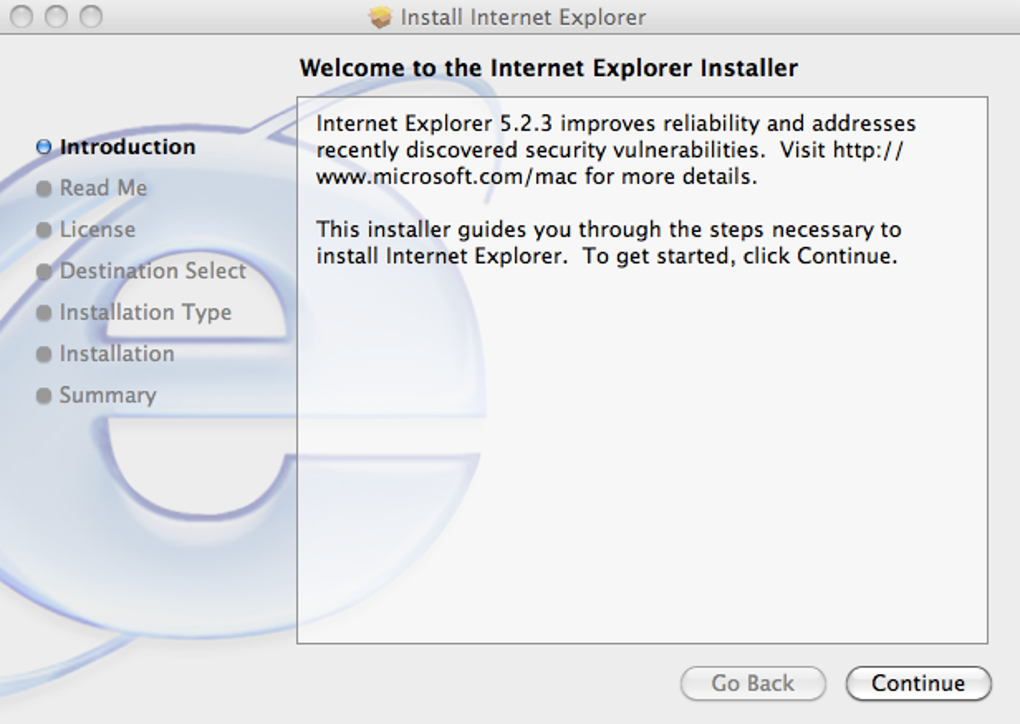
Downloading the installer – The .dmg file for Internet Explorer 5.2.3 can be obtained from trusted archival repositories. Ensure you verify the file’s checksum (MD5 or SHA‑1) against the values published on the original Microsoft support page to avoid corrupted or tampered copies.
Installation steps – After mounting the .dmg, drag the Internet Explorer icon into the Applications folder. macOS will prompt you to confirm that the application was downloaded from the internet; click “Open” to proceed. The installer does not require administrator privileges, but you may need to adjust the Security & Privacy settings (System Preferences → Security & Privacy → General) to allow apps from “identified developers” if the warning appears.
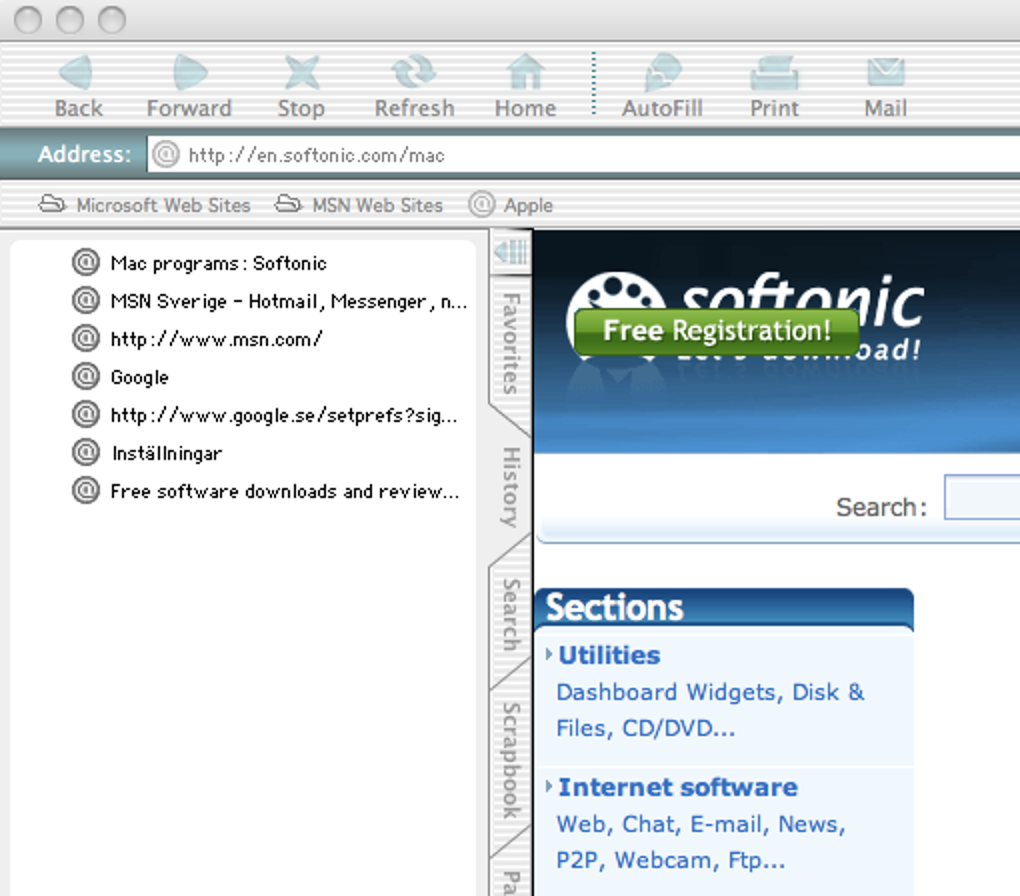
First launch – When you start Internet Explorer for the first time, macOS may display a warning that the software is outdated. Accept the warning, and the browser will open with a simple, single‑window interface. The address bar is located at the top, and navigation buttons mimic the classic Windows layout.
Compatibility notes – The browser was originally built for Mac OS 9 and the early releases of Mac OS X (10.0–10.2). Modern macOS versions (10.13 and later) can still run the application using the built‑in compatibility layer, but users may encounter graphical glitches or unexpected crashes. For best results, run the browser on an older Mac or within a virtual machine that emulates Mac OS 9/OS X 10.2.
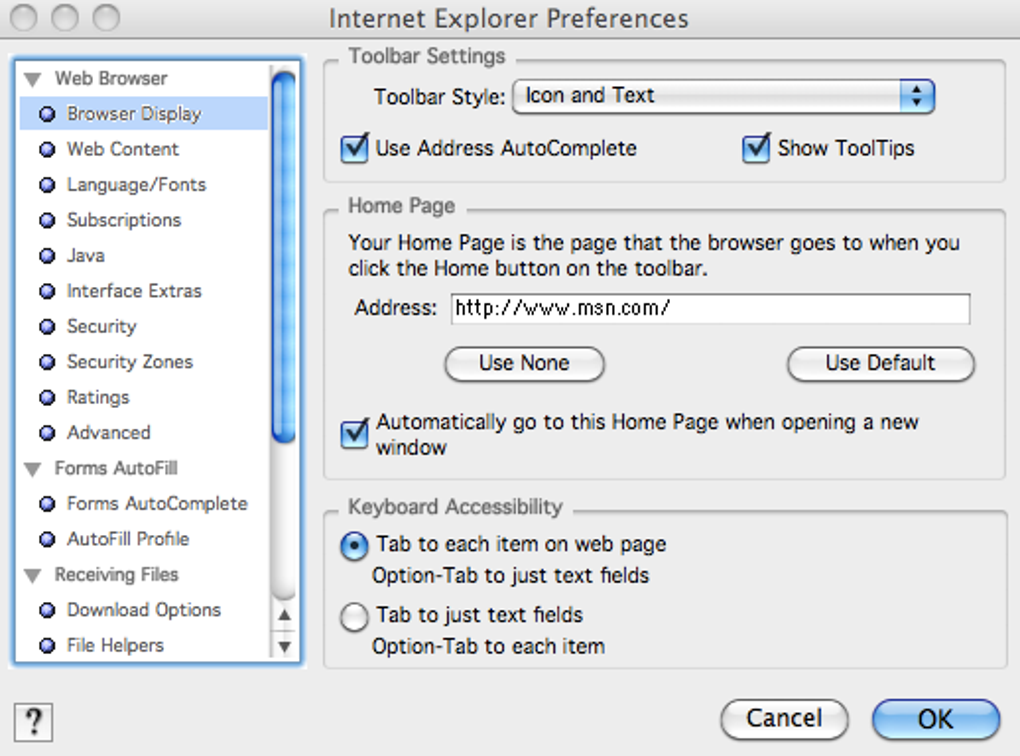
Usage tips – Because the browser lacks modern security features, never enter personal passwords, banking information, or any data that could be intercepted. Use it strictly for offline testing, viewing static HTML files, or exploring how early web pages were rendered. If you need to clear cache or cookies, locate the “Preferences” menu, which stores data in a hidden folder within ~/Library/Application Support/Internet Explorer.
Pros, Cons & Frequently Asked Questions
Pros
- Free legacy download for nostalgic or archival purposes.
- Simple, lightweight UI that runs on very old hardware.
- Basic support for proxy authentication in corporate network environments.
Cons
- No security updates since 2005 – unsafe for modern web use.
- Incompatible with HTML5, CSS3, and most JavaScript frameworks.
- Lacks essential features: tabs, extensions, private browsing, password manager.
- Frequent crashes and slow rendering on contemporary sites.
- Only runs reliably on legacy versions of macOS or inside virtual machines.
FAQ
Is Internet Explorer for Mac still safe to use?
No. Microsoft stopped providing security patches in 2005, so known vulnerabilities remain unaddressed. It should only be used for offline testing or nostalgic exploration, never for transactions or personal data entry.
Can I install Internet Explorer for Mac on the latest macOS versions?
Technically you can, but you may experience graphical glitches or crashes. The most reliable way is to run the browser in a virtual machine that emulates Mac OS 9 or early OS X (10.2).
Does Internet Explorer for Mac support tabs or extensions?
No. The browser predates tabbed browsing and the modern extension ecosystem. Users get a single‑window experience without any add‑on capability.
What are the system requirements for running Internet Explorer 5.2.3?
Originally it required Mac OS 9 or Mac OS X 10.0–10.2, with at least a 500 MHz processor and 256 MB of RAM. Modern Macs can still launch the app, but performance is not guaranteed.
Should I use this browser for testing legacy websites?
Yes, if you need to verify how a site behaved in the early 2000s. Keep in mind that many modern development tools cannot communicate with this legacy engine, so you may need to use a separate testing environment.
Review Summary: Internet Explorer for Mac offers a nostalgic glimpse into early web browsing but falls short of any practical usage today. The lack of security updates, modern web standards, and essential browsing features make it unsuitable for everyday tasks. For archival or educational purposes, it remains a valuable artifact.
Conclusion & Call to Action
Internet Explorer for Mac stands as a historical milestone rather than a viable browsing solution. While you can still download the final version for free, remember that it is unsupported, insecure, and unable to render the majority of modern websites. If you are a developer needing to test legacy pages or a collector interested in the evolution of web browsers, give it a try in a safe, isolated environment.
For anyone who wants a reliable, secure, and feature‑rich browsing experience on macOS, we strongly recommend switching to contemporary browsers such as Safari, Google Chrome, Mozilla Firefox, or Opera. These tools receive regular updates, support the latest web standards, and include built‑in privacy protections.
Ready to explore the past?
Click the download button below to obtain Internet Explorer 5.2.3 for Mac. Otherwise, protect your data and enjoy a smoother internet experience by choosing a modern browser today.







